
Before you start
- A Professional or Ultimate plan, which include the strategy builder and backtesting. See pricing.
- A connected broker, because live prices in QuantPower come from your broker account. See the getting started tutorial.
- A plan for the trade. Know why you are choosing the strategy. Our iron condor guide explains when traders use one.
The strategy in this tutorial
An iron condor sells an out-of-the-money put and call and buys further out-of-the-money options as protection. It profits if Nifty stays between the short strikes and has a defined maximum loss.
| Leg | Side | Option | Model price |
|---|---|---|---|
| 1 | Buy | 24,500 put | ₹65.35 |
| 2 | Sell | 24,750 put | ₹128.65 |
| 3 | Sell | 25,250 call | ₹168.05 |
| 4 | Buy | 25,500 call | ₹92.10 |
Model prices use Nifty at 25,000, 12 days to expiry, IV of 14% and an interest rate of 6.5%. With one lot of 65, the position collects ₹139.25 a unit, or ₹9,051.25, and can lose at most ₹7,198.75. The breakevens are 24,610.75 and 25,389.25.
Step 1: Start a new strategy
- Open Strategy builder and select New strategy.
- Choose NIFTY as the underlying.
- Choose the expiry. Nifty options have weekly expiries on Tuesdays.
You can also start from a template, such as the Nifty short straddle, and change it.
Step 2: Add the four legs
- Add a leg: Buy, PE, strike 24,500, quantity 1 lot.
- Add Sell PE 24,750, Sell CE 25,250 and Buy CE 25,500, each for 1 lot.
- Check that every leg shows the same expiry and quantity.
Quantity is set in lots. One Nifty lot is 65 units from the January 2026 series, so 1 lot means 65 units on the order.
Step 3: Check the payoff and Greeks
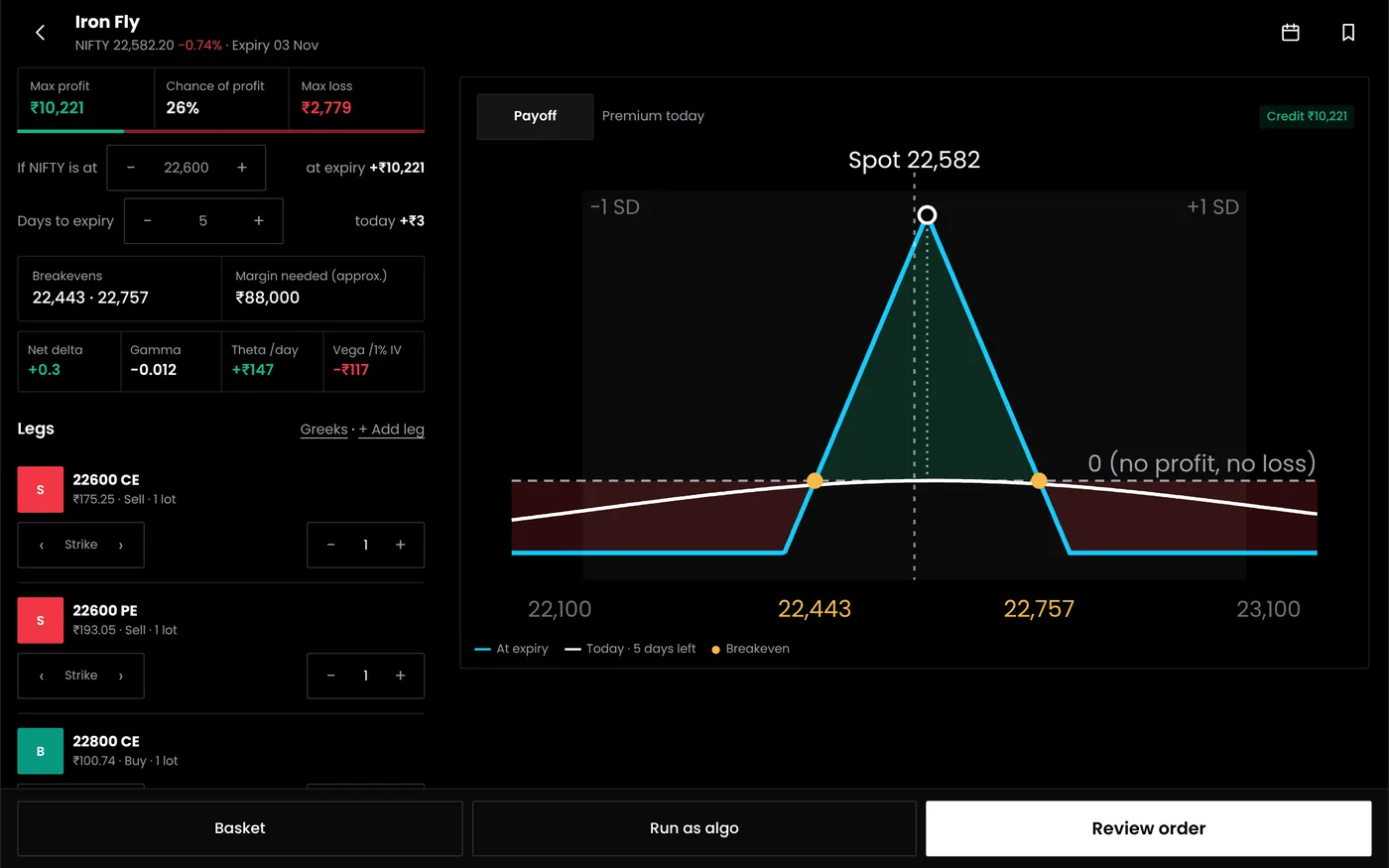
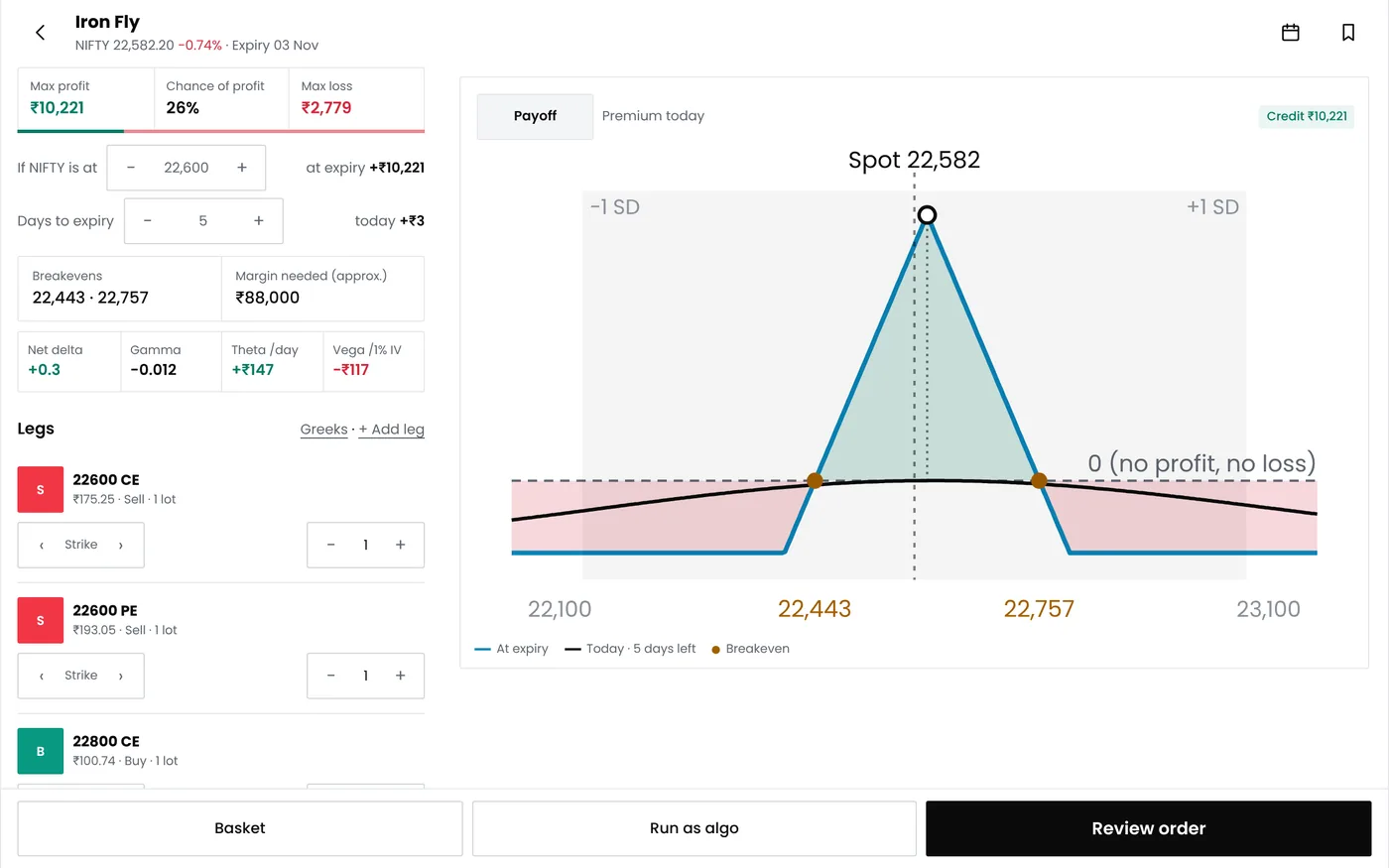
The builder shows the position's payoff at expiry and its current Greeks:
- Max profit and max loss: the credit received, and the strike width minus the credit.
- Breakevens: the short strikes plus or minus the credit.
- Probability of profit: a model estimate based on implied volatility, not a forecast.
- Delta, theta and vega: how the position reacts to price, time and volatility.
If the breakevens are closer than you planned, move the short strikes further out. A wider condor takes in less credit but has more room. The option profit calculator shows the same numbers outside the builder.
Step 4: Set the entry
Choose when the strategy enters, for example at 09:30 on the days you want it to trade. Waiting a few minutes after the 9:15 open avoids the widest spreads of the day.
Step 5: Set the exits
| Exit | Example setting | Why |
|---|---|---|
| Stop loss | ₹4,000 for the position | Limits the loss well before the maximum |
| Target | 50% of maximum profit | Takes profit before the last days, when gamma risk is highest |
| Time exit | 15:15 on expiry day | Avoids holding into the close and settlement |
| Re-entry | Off | Keeps one trade per day while you test |
The entry and exit rules tutorial covers each exit type in more detail.
Step 6: Save the strategy
Give it a clear name, such as "Nifty iron condor 250 wide", and save. Saving does not place any order. The strategy is now ready to backtest.
Common problems
| Problem | What to do |
|---|---|
| A strike is missing | It may not be listed for that expiry yet. Choose the nearest listed strike |
| The payoff looks wrong | Check each leg's side (buy or sell) and option type (CE or PE) |
| Quantity looks too large | Quantity is in lots. 1 lot of Nifty is 65 units |
| Margin seems high | Margin depends on the hedges. Check it with a F&O margin calculator |
Next steps
Frequently asked questions
Can I build futures and stock strategies too?
Yes. The strategy builder covers options and futures strategies, and indicator rules for entries and exits.
Does saving a strategy place orders?
No. Orders are placed only when you deploy the strategy as a live algo bot.
Can I change a strategy after testing it?
Yes. Edit it and run the backtest again. Change one setting at a time, so you know what caused any difference.