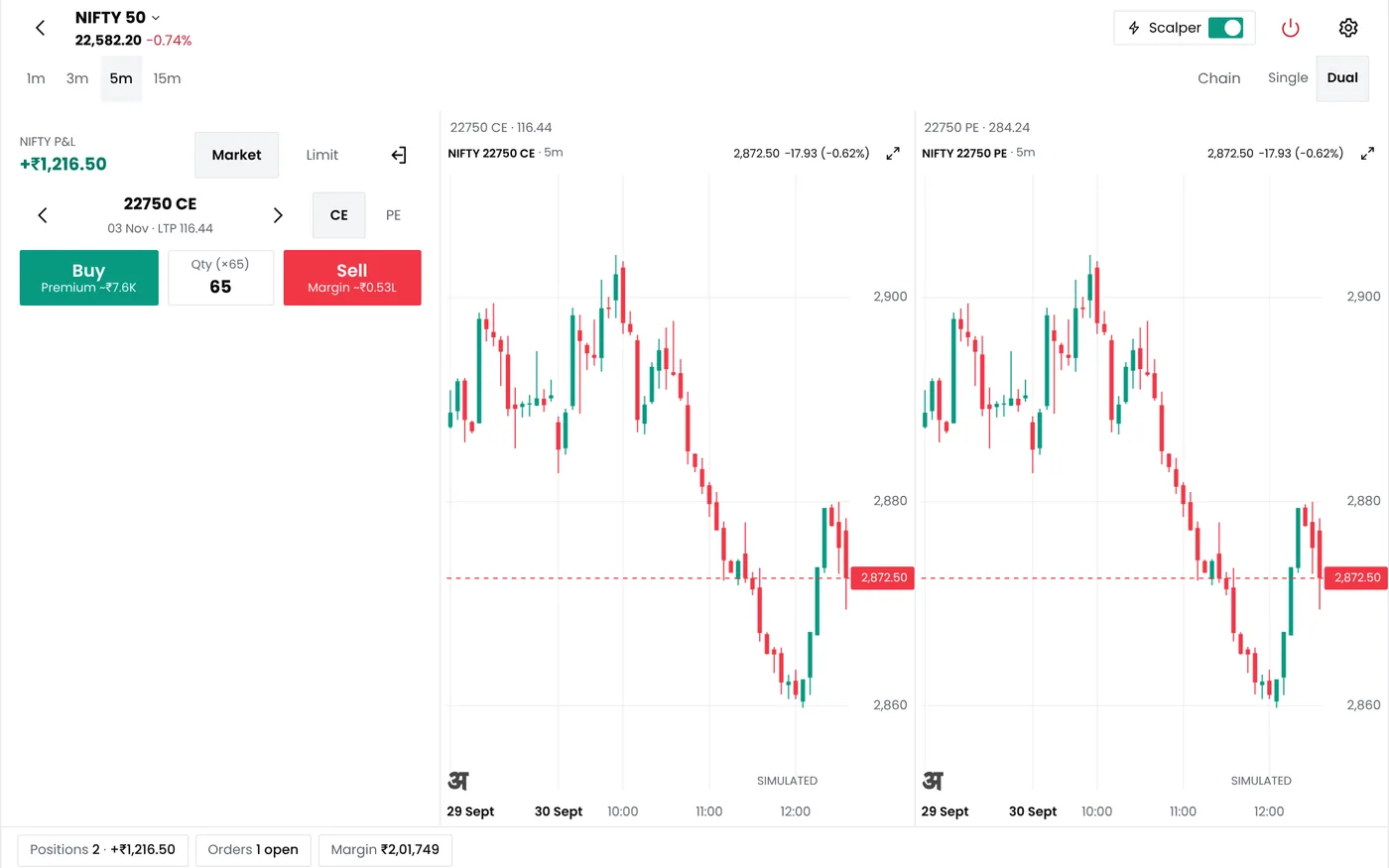
What the option trading app shows
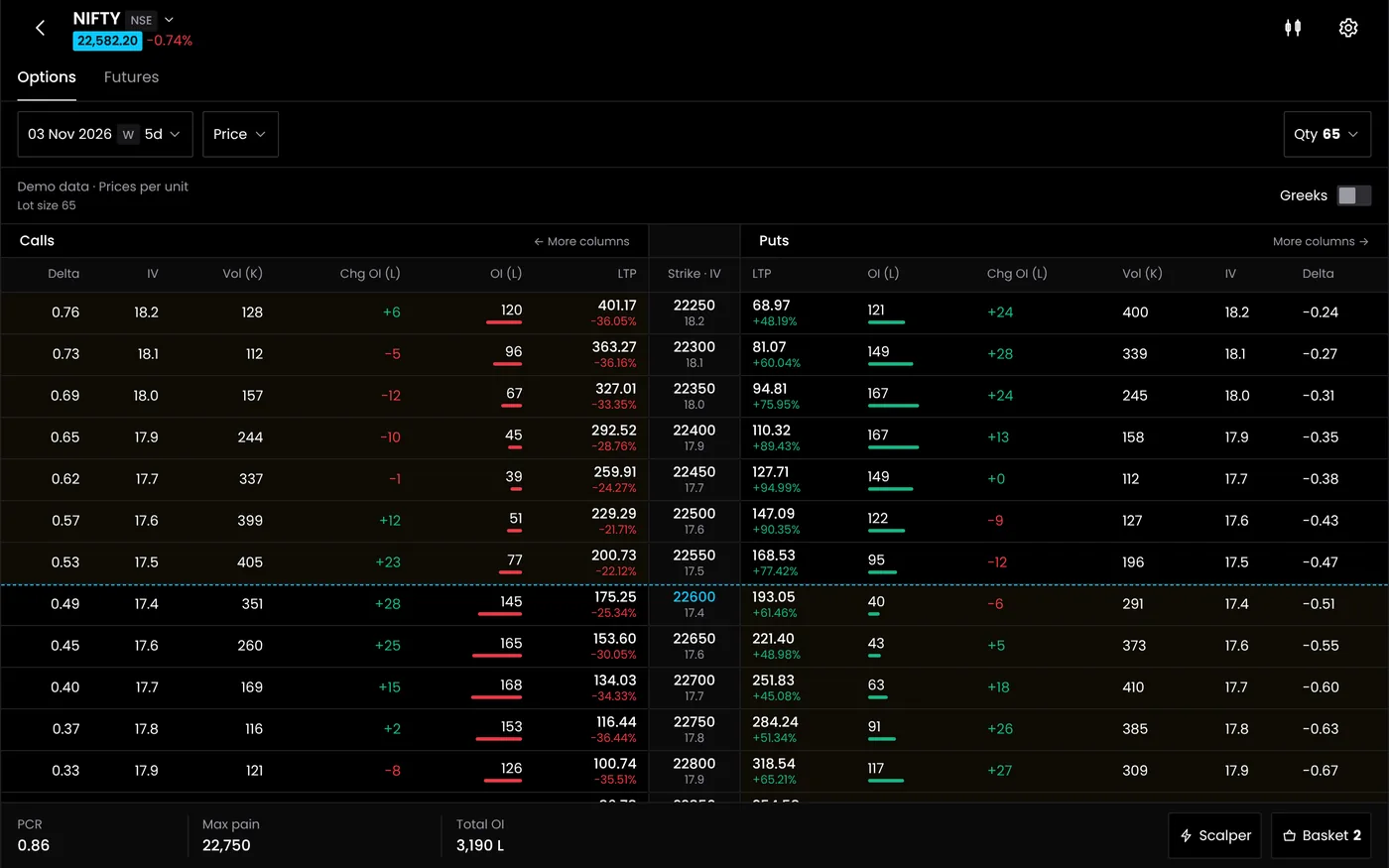
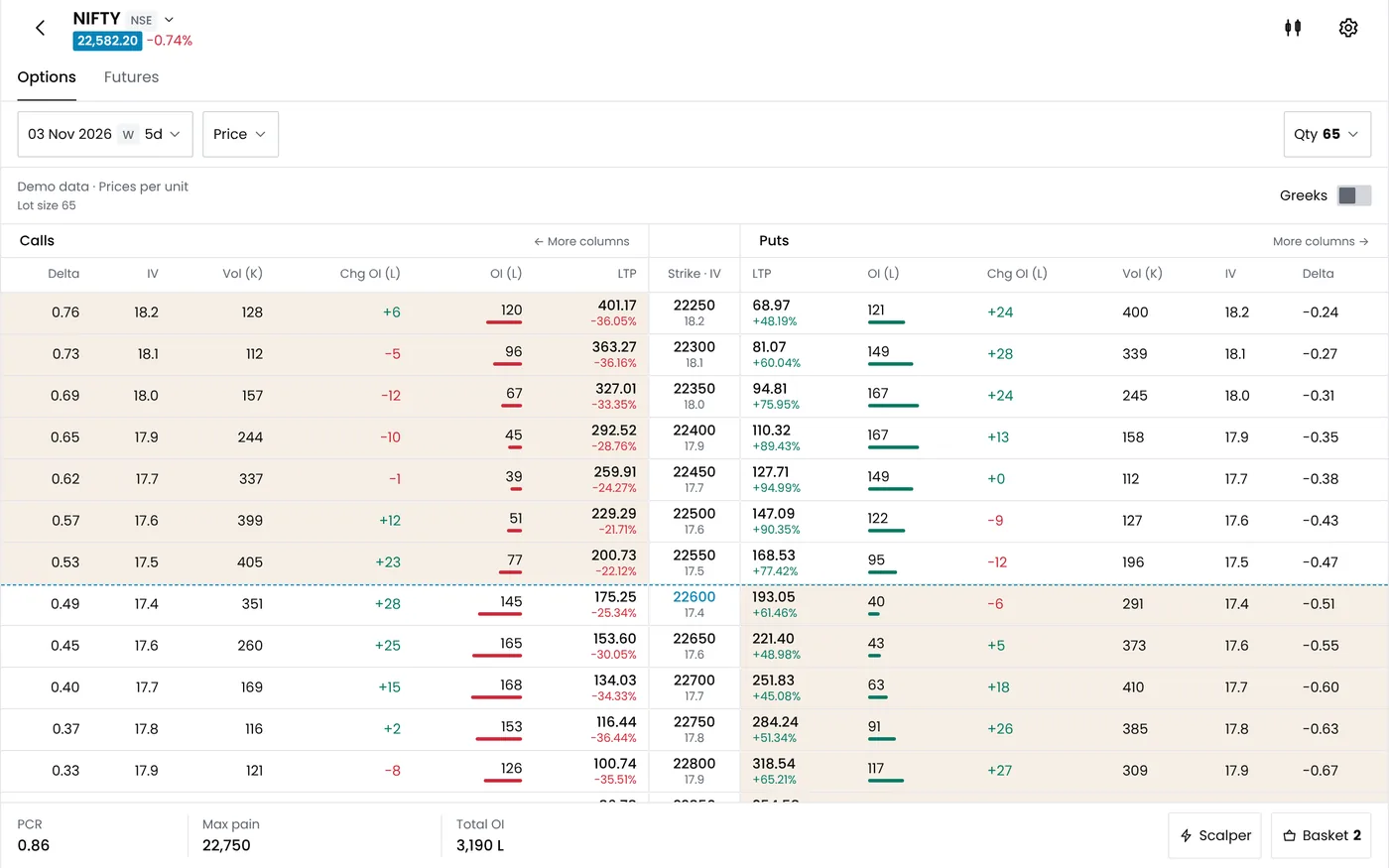
Each row of the chain is one strike. For the call and the put at that strike, the app shows these columns:
| Column | What it tells you |
|---|---|
| Last price, bid and ask | What the option trades at, and the spread you pay to get in and out |
| Volume | How many contracts traded today |
| Open interest (OI) | How many contracts are open at that strike |
| Change in OI | Whether positions are being built or closed today |
| Implied volatility (IV) | The volatility the option's price implies |
| Delta | How much the option moves for a 1-point move in the index |
| Gamma | How fast delta changes |
| Theta | What the option loses in a day if nothing else changes |
| Vega | What the option gains or loses for 1 point of IV |
Above the chain, the app shows the spot and futures price, the put-call ratio for the expiry, max pain and the expected move. The futures analysis screen lists index and stock futures with their price change, change in OI and the type of buildup: long buildup, short buildup, short covering or long unwinding.
A chain row by row
This is a model Nifty chain with the index at 25,000, 12 days to expiry and IV of 14%, priced with the Black-Scholes model. It shows how the Greeks change across strikes. Live prices differ.
| Strike | Call price | Call delta | Call theta a day | Put price | Put delta | Put theta a day |
|---|---|---|---|---|---|---|
| 24,800 | ₹398.30 | 0.66 | −₹12.55 | ₹145.35 | −0.34 | −₹8.15 |
| 24,900 | ₹336.35 | 0.60 | −₹12.83 | ₹183.20 | −0.40 | −₹8.40 |
| 25,000 | ₹280.50 | 0.54 | −₹12.85 | ₹227.10 | −0.46 | −₹8.40 |
| 25,100 | ₹230.85 | 0.48 | −₹12.61 | ₹277.30 | −0.52 | −₹8.15 |
| 25,200 | ₹187.50 | 0.41 | −₹12.11 | ₹333.70 | −0.59 | −₹7.64 |
Read across a row and you see the trade-offs. The 25,000 call costs ₹18,232.50 a lot of 65, moves about ₹35 for each Nifty point (0.54 × 65), and loses about ₹835 a day to time decay (12.85 × 65). Its vega is 18.00, so one point of IV is worth ₹1,170 a lot. The option chain guide reads a chain step by step.
From the chain to an order
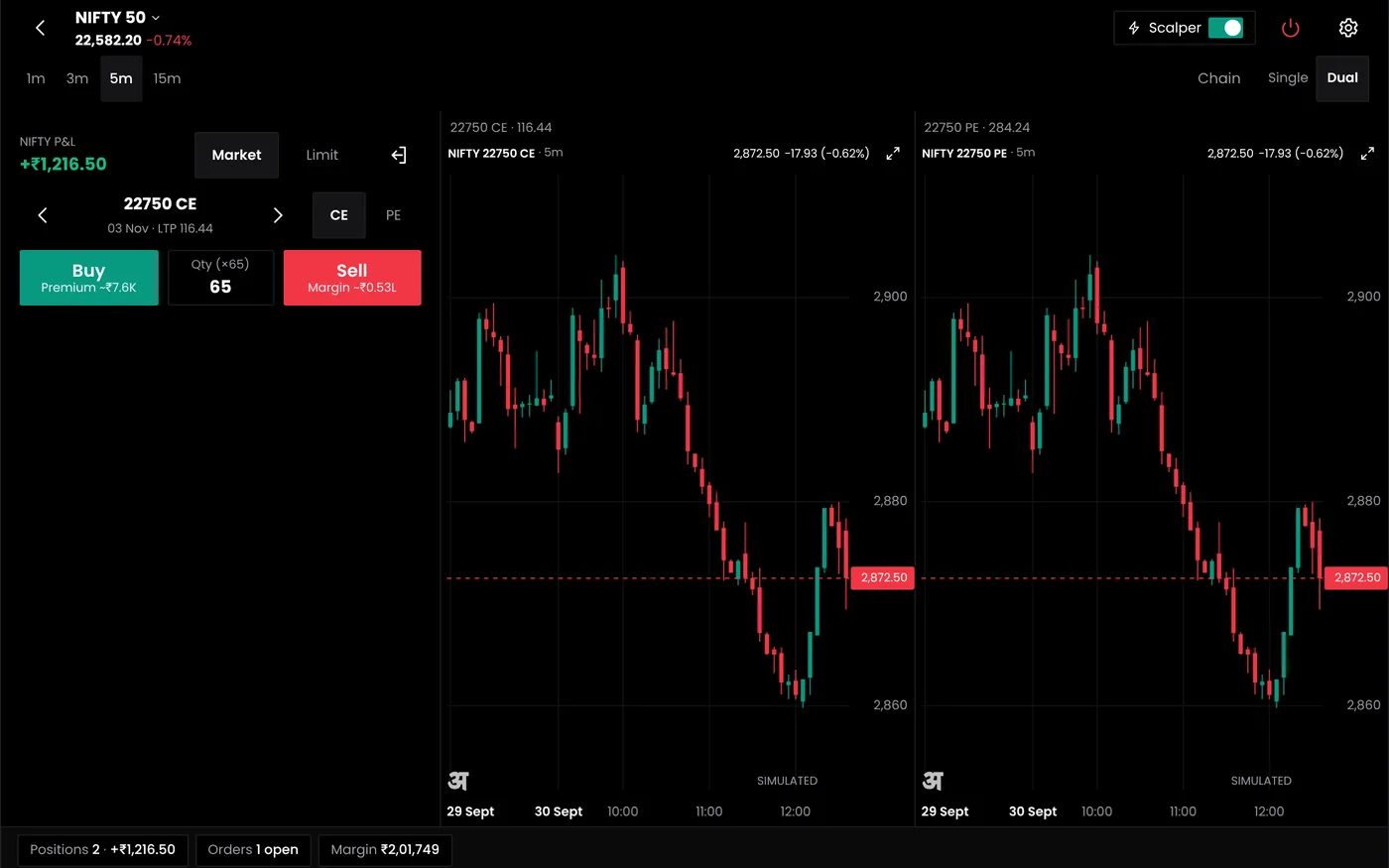
- Pick the strikes. Tap a price on the chain to add a buy or sell leg to a basket.
- Check the position. Open the basket in the strategy builder to see the payoff, the break-evens and the margin your broker will block.
- Place the order. The order goes to your connected broker account. Limit, market, stop-loss and iceberg orders are available.
- Large orders. An order above the exchange freeze quantity is split into slices with an iceberg order, so it is not rejected for size.
- Watch it live. Positions show live P&L in the position monitor, with your daily loss limit if you set one.
You can do the same with a strategy that trades on rules: build it in the option strategy builder, backtest it and run it as a bot. The analytics screens stay the same whether you trade by hand or automatically.
Open interest, PCR and futures data
Open interest at each strike shows where traders hold positions. Strikes with the most call OI and put OI are often watched as resistance and support. The change in OI during the day shows whether those positions are growing or being closed, which matters more than the total. The put-call ratio sums it up for the whole expiry. The Nifty PCR guide works through a model chain with exact figures, including how the ratio moves during a session.
Futures analysis adds the price side. A rise in price with rising OI is long buildup; a fall with rising OI is short buildup; a rise with falling OI is short covering; a fall with falling OI is long unwinding. The app labels each contract, so you can scan index and stock futures for the pattern you trade.
Best app for option trading: what to check
There is no single best app for option trading. It depends on how you trade. These are the points that separate the choices.
| Check | Why it matters | In QuantPower |
|---|---|---|
| Live Greeks and IV per strike | You price risk before you trade | Yes, on every strike |
| Change in OI, not only OI | Shows what is happening today | Yes |
| Orders from the chain | Fewer steps between idea and order | Yes, through your broker |
| Payoff and margin before the order | You see the worst case first | Yes, in the strategy builder |
| A loss limit for the whole day | One rule protects every position | Verify final plan allowances against your needs |
| Automation | Rules run without you at the screen | Verify final plan allowances against your needs |
| Broker choice | You keep your broker | Six brokers |
| Devices | Trade where you are | Web, Android app, and Safari on iPhone |
If you trade only a few options by hand with one broker, your broker's own app may be enough. An analytics platform earns its place when you trade several strategies, want the same Greeks and OI view across brokers, or plan to automate.
Who uses the analytics
- Option buyers check IV and theta before paying a premium, and the expected move before choosing a strike.
- Option sellers watch change in OI near their strikes, the PCR and the expiry-day margin.
- Futures traders use the buildup labels to see whether a move is backed by new positions.
- Algo traders use the same chain to choose strikes for a strategy, then let the bot follow the rules.
Brokers and data
QuantPower connects to 100+ Indian brokers, including Wisdom Capital, Zerodha, Upstox, Fyers and IIFL Capital. You log in on your broker's own page, and QuantPower stores only the session token. Live prices come through your broker's API. Zerodha charges ₹500 a month for its Kite Connect API, which Zerodha users need for live data in any third-party platform. Many other brokers, such as Upstox and Fyers, offer their APIs free.
Plans
The QuantPower Standard plan is free during the Beta (₹299/month after); Professional is ₹499/month and Ultimate ₹999/month, GST extra. See pricing. Prices are on the pricing page, and every plan starts with a free trial. You can switch plans later; a change takes effect from the next billing cycle.
Related guides
- Option chain: read a chain column by column
- Nifty PCR: what the put-call ratio and OI say about direction
- Option greeks: delta, gamma, theta, vega and rho with Nifty examples
- Option strategy builder: turn the strikes you pick into a strategy with rules
- Options trading platform: the full QuantPower platform
Start your free trial
Connect your broker, build a strategy and test it on paper before a single live order goes out.
Frequently asked questions
Does the QuantPower app show live option Greeks?
Yes. Delta, gamma, theta, vega and implied volatility are shown for every strike and update with the price.
Can I use QuantPower on an iPhone?
Yes, in Safari. There is an Android app; on iPhone you use the web platform in the browser.
Do Zerodha users pay extra for live data?
Zerodha charges ₹500 a month for the Kite Connect API that third-party platforms use for live prices. QuantPower does not add a data fee.
Can I place an order straight from the option chain?
Yes. Add legs from the chain to a basket, check the payoff and margin, and send the order to your connected broker.
Does the app cover Sensex and stock options?
Yes. It covers Nifty, Bank Nifty and Sensex options and stock options, with futures analysis for index and stock futures.
Is the option chain free?
The chain and analytics are in every plan, starting with a free trial. QuantPower does not show a public live chain, because exchange data licences require it to come through a data agreement or your broker.
Sources
- NSE: revision in market lot of index derivative contracts from the January 2026 series (Nifty 65)
- Zerodha Kite Connect: API pricing (checked 10 October 2026)
- QuantPower plans and features as listed on the live pricing page (checked 11 October 2026)