
How to place a stop loss order
A stop loss order waits with your broker until the price reaches a trigger, then goes to the exchange. In your broker's order window:
- Choose the opposite side of your position: sell to protect a bought position, buy to protect a sold one.
- Choose the order type. A stop-loss limit (SL) order needs a trigger price and a limit price. A stop-loss market (SL-M) order needs only a trigger.
- Enter the trigger price, the level that sends the order.
- For an SL order, enter the limit price, the worst price you accept. Leave a gap from the trigger so the order can fill in a fast market.
- Choose the product (intraday or carry forward) and place the order. It shows as pending until the trigger is reached.
| Order type | You enter | When the trigger is hit | Watch out for |
|---|---|---|---|
| Stop-loss limit (SL) | Trigger and limit price | A limit order at your limit price goes to the exchange | It may not fill if the price jumps past the limit |
| Stop-loss market (SL-M) | Trigger only | A market order goes to the exchange | Slippage in a fast market; not accepted for options on NSE |
NSE does not accept SL-M orders in options, so option stops are placed as SL orders. For example, to protect a Nifty 25,000 call bought at ₹280.50, you could place a sell SL order with a trigger of ₹210 and a limit of ₹200.
Why one stop per trade is not enough
- Gaps. A position held overnight can open beyond its stop, and the stop fills at the open price.
- Several legs. A short straddle or iron condor has two or four legs. Separate stops on each leg can leave you with one leg open after the other is stopped.
- Several strategies. Three strategies with sensible stops each can still lose more in a day than you meant to risk.
- Stops you forget. A stop that was never placed, or was cancelled with an order, does not protect anything.
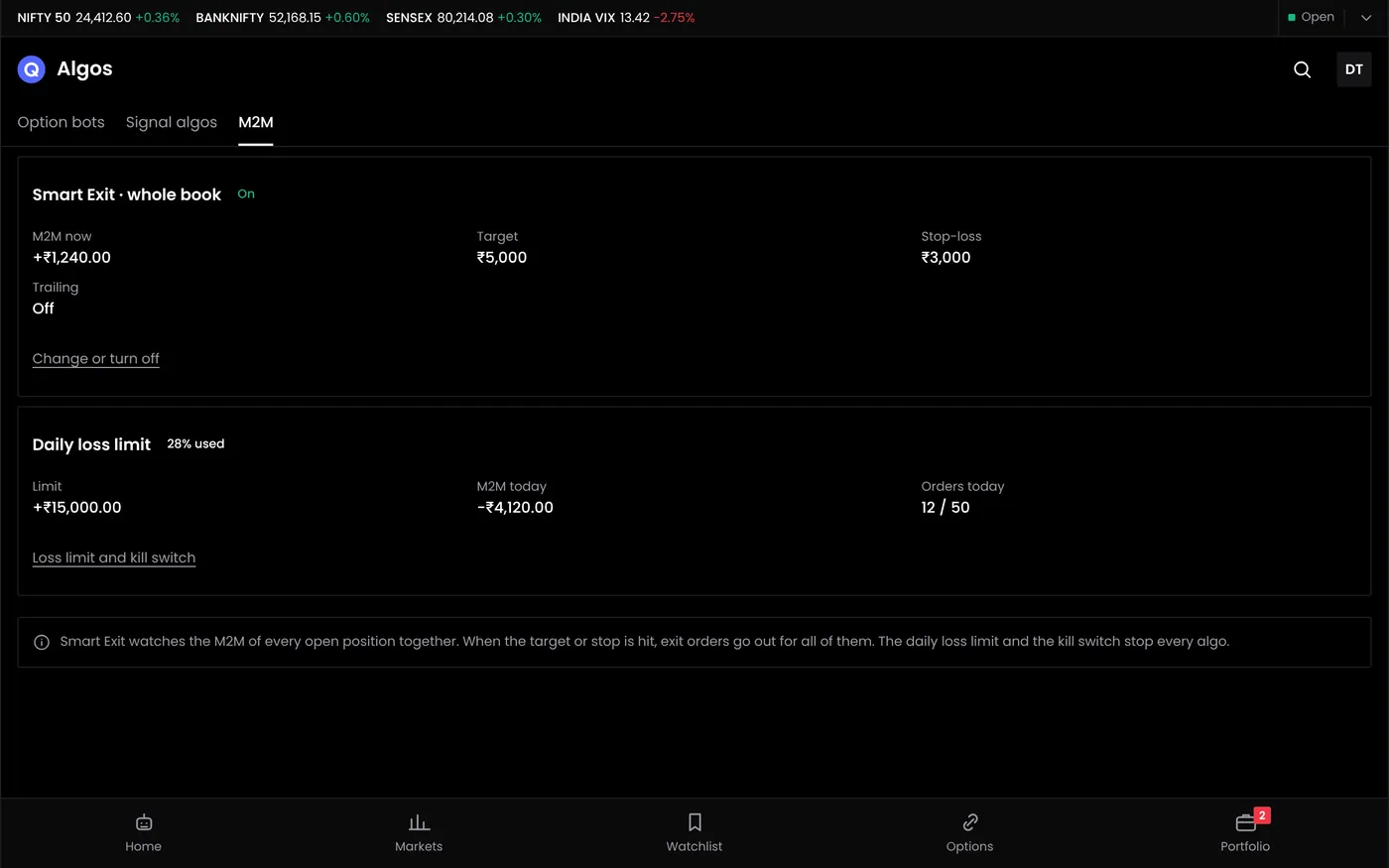
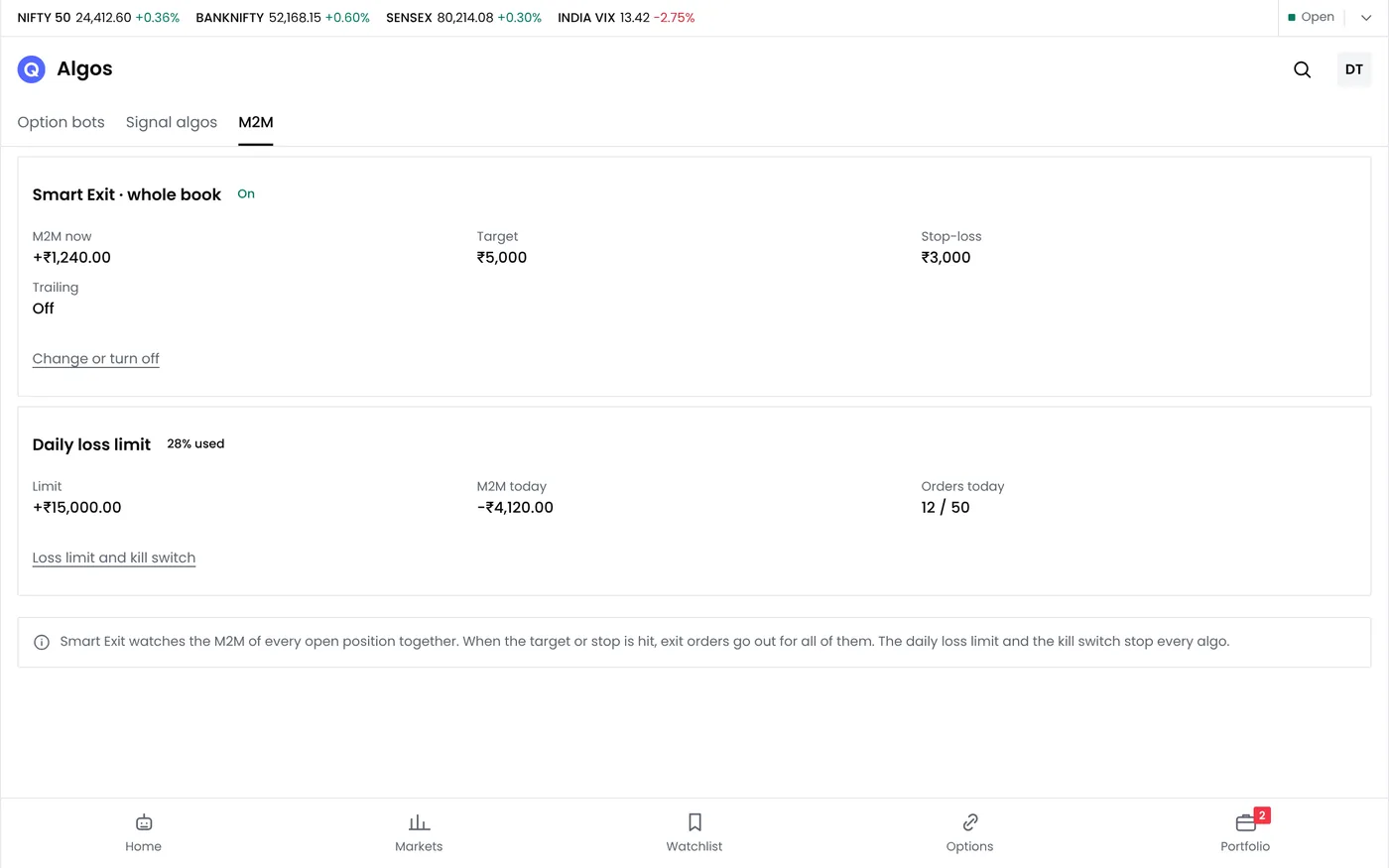
A daily MTM limit sits above all of these. It watches the combined profit and loss of every open position and acts on the total.
How the MTM stop loss works
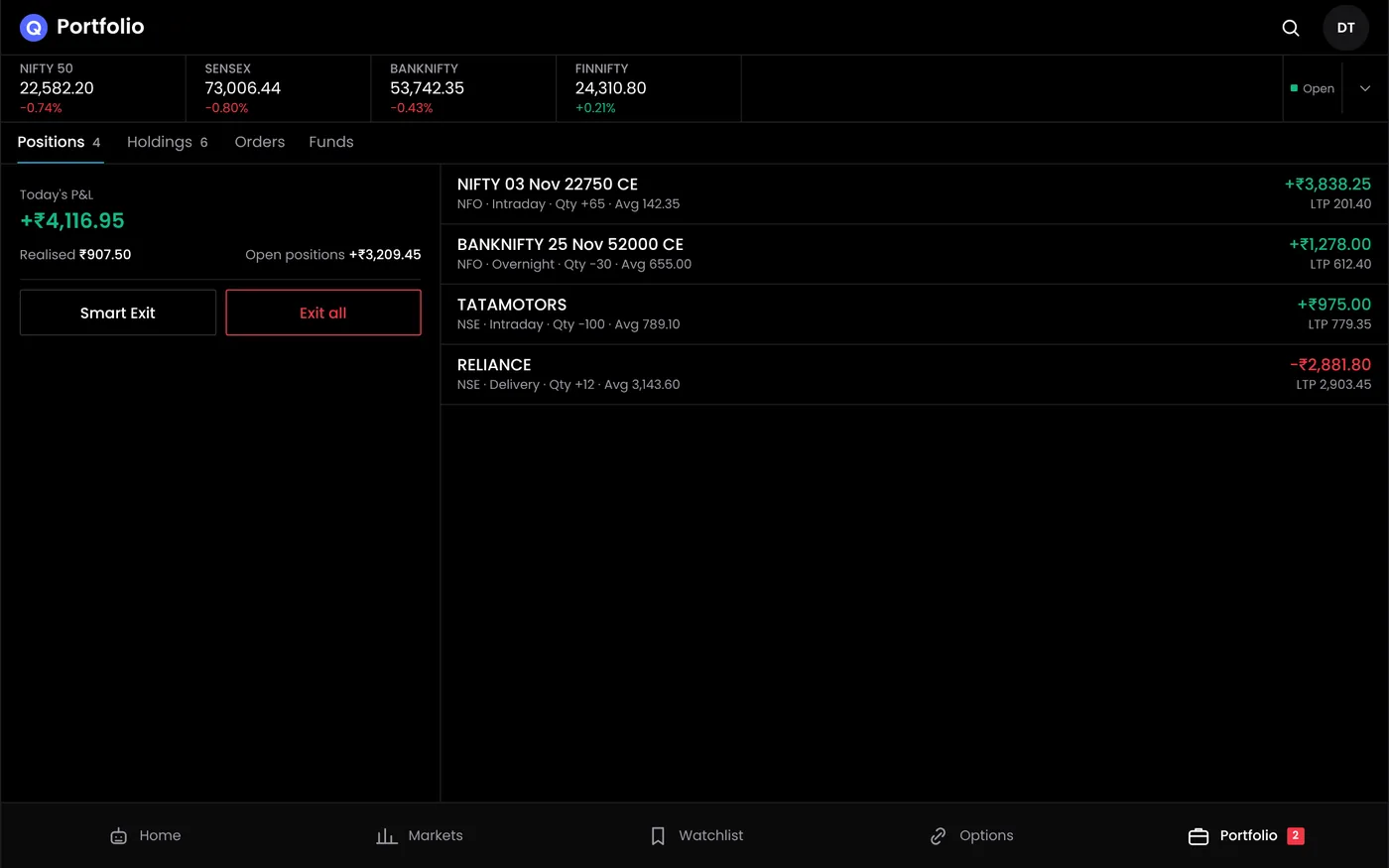
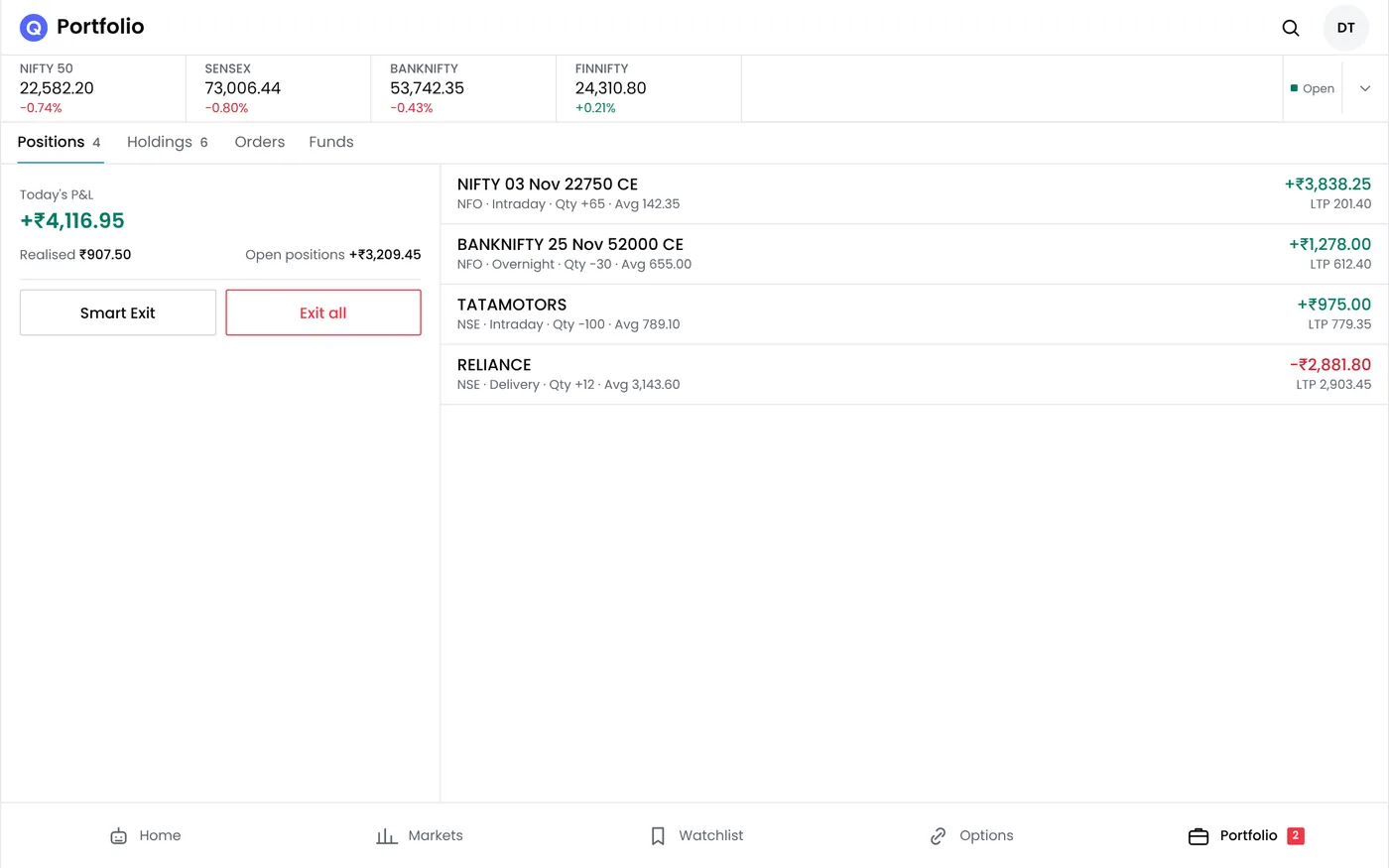
- Set a daily loss limit in rupees. For example ₹6,000.
- Optionally set a daily profit target. For example ₹9,000, to lock in a good day.
- QuantPower tracks the combined MTM of your open positions, manual and automated, through your connected broker.
- At either limit, open positions are squared off with exit orders to your broker, and new entries stop for the day.
The Standard plan is free during the Beta; see pricing for each plan's daily allowances. Inside a strategy, the option strategy builder also lets you set stops per leg, for the combined position and as a trailing stop.
A worked day
An account of ₹5,00,000 sets a daily loss limit of ₹6,000, 1.2% of the account. It holds three positions on Nifty with a lot of 65:
| Position | MTM at 11:00 am | MTM at 1:30 pm |
|---|---|---|
| Short straddle, 1 lot | −₹1,950 | −₹4,420 |
| Iron condor, 1 lot | −₹650 | −₹1,105 |
| Bought 25,000 call, 1 lot | +₹1,300 | −₹520 |
| Combined | −₹1,300 | −₹6,045 |
At 1:30 pm the combined loss passes ₹6,000, so QuantPower sends exit orders for all seven open legs. Each position is still within its own stop, but together they reached the day's limit. Exit fills and charges decide the final figure, which can differ from the limit by the slippage on the exits.
Stop loss in option buying
A stop loss in option buying is set on the premium, not on the index. A bought option loses value every day to time decay, so a stop that is too wide often turns into a slow loss.
- Set the stop as a share of the premium. With the 25,000 call at ₹280.50, a 25% stop is about ₹210, a loss of ₹4,582.50 a lot.
- Translate it into index points. With a delta of 0.54, the option loses about ₹70 for a fall of roughly 130 Nifty points, less if time passes or IV falls first.
- Add a time stop. If the move you bought for has not come by a set time, exit, because theta takes about ₹835 a lot a day from this option.
- Size from the stop. The position size calculator works out the lots from the stop and your risk per trade.
The option buying strategies guide shows stops and targets in full rule sets.
Intraday stop loss strategy
An intraday stop loss strategy decides where each stop goes before the trade, and how the day ends if trades keep failing.
| Method | How it works | Suits |
|---|---|---|
| Fixed points | A set distance, such as 40 Nifty points | Simple rule sets |
| Volatility-based | A multiple of ATR, wider on volatile days | Breakout and trend rules |
| Structure | Beyond the day's low or high, or the opening range | Price-action rules |
| Time stop | Exit by a set time if the target is not reached | Option buying, where decay costs |
| Daily MTM limit | Stop trading for the day at a set loss | Every intraday trader |
A trailing stop moves with the price to lock in part of a gain.
MTM limits with algo bots
When you run bots, the MTM limit covers them too. A bot that keeps re-entering after stops can lose more in a day than its rules suggest; the account limit ends the day for every bot at once. Each bot can also carry its own stops and its own daily loss limit inside the strategy builder, so one misbehaving strategy can be stopped without closing the others.
Setting a daily limit that fits
Many traders cap the day at 1% to 2% of the account, and at two or three times the risk of a single trade.
| Account | 1% daily limit | 2% daily limit |
|---|---|---|
| ₹2,00,000 | ₹2,000 | ₹4,000 |
| ₹5,00,000 | ₹5,000 | ₹10,000 |
| ₹10,00,000 | ₹10,000 | ₹20,000 |
Set the limit before the market opens and do not raise it during the day. If a limit is hit often, the problem is usually the size of the positions, not the limit.
Related guides
- Order types: SL, SL-M, limit, market, iceberg and AMO orders on NSE
- Trailing stop loss: how a stop that moves with the price works
- MTM meaning: mark-to-market in plain terms
- Position size calculator: lots from your stop and risk per trade
- Option buying strategies: stops and targets for bought options
Start your free trial
Connect your broker, build a strategy and test it on paper before a single live order goes out.
Frequently asked questions
What is the difference between an SL and an SL-M order?
An SL order sends a limit order at your limit price when the trigger is hit. An SL-M order sends a market order. SL-M fills more surely but can fill far from the trigger, and NSE does not accept it for options.
Does the MTM stop loss work on manual trades?
Yes. It tracks the combined MTM of all open positions in your connected broker account, whether you placed them by hand or a bot placed them.
What happens when the daily loss limit is hit?
QuantPower sends exit orders for every open position and stops new entries for the rest of the day.
Can the final loss be more than the limit?
Yes, by the slippage on the exit orders and the charges. In a fast market the exits can fill a little worse than the prices at the moment the limit was reached.
Can I set a daily profit target as well?
Yes. When the combined MTM reaches the target, positions are squared off to lock in the day's gain.
Which plans include the MTM stop loss?
The Standard plan is free during the Beta; see pricing.
Sources
- NSE: order types in the equity derivatives segment and the discontinuation of SL-M orders for options
- QuantPower plans and features as listed on the live pricing page (checked 11 October 2026)
- Model option prices: Black-Scholes, Nifty 25,000, 12 days, IV 14%, interest rate 6.5%, lot 65